Create & Track Project Notes
Track conversations, decisions, and team collaboration.
Key Takeaways
Keep everything organised: Track conversations, decisions, and reminders in one central place.
Share with confidence: Control whether notes are private, team-only, or visible to clients.
Find details fast: Use categories and filters to quickly locate important information.
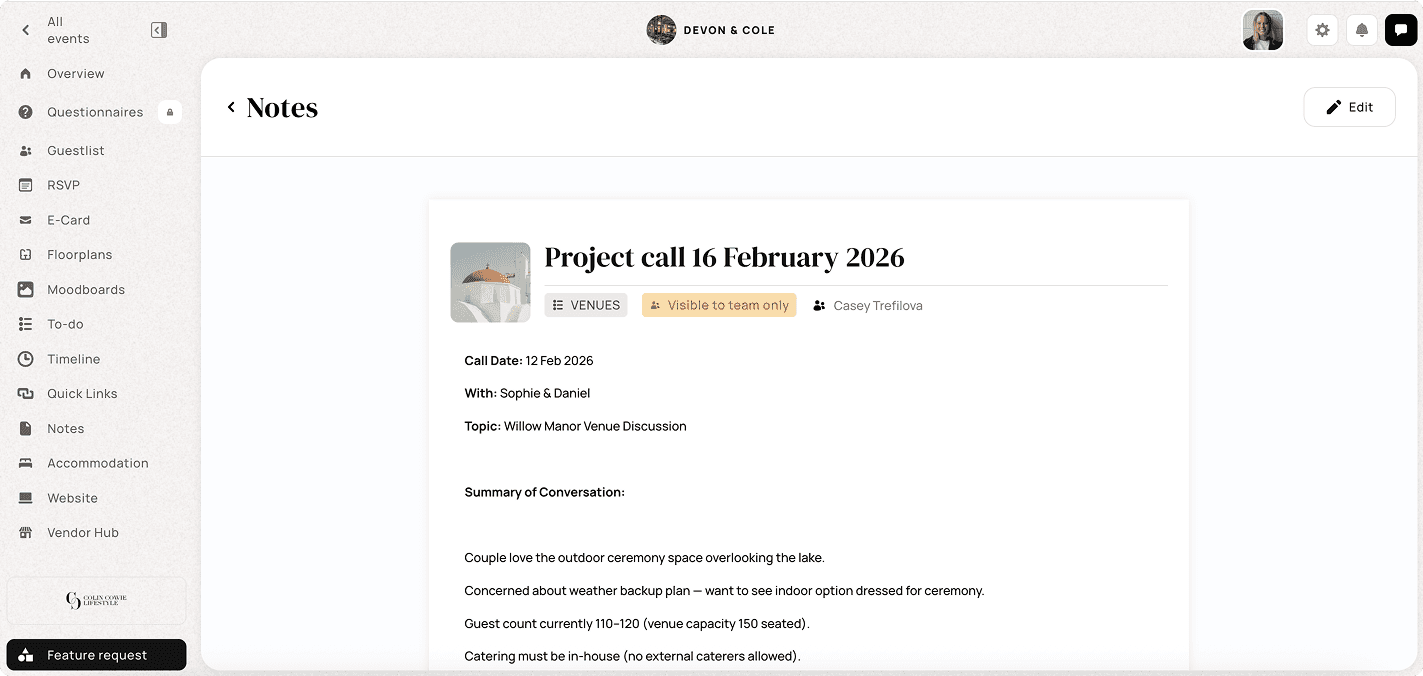
Every event has a million moving pieces, conversations with clients, internal decisions, vendor updates, location details… and keeping track of it all can quickly become overwhelming. That’s exactly why a dedicated notes feature in your planning workflow is a game changer.
Jot down key conversations, record decisions, capture reminders, and share information with the right people at the right time.
📌 Your Notes, Your Control
The notes feature is built to adapt to how you work:
Team-shared notes: Collaboration is seamless when everyone’s on the same page. Choose to share notes with teammates so your whole planning crew can see updates, add context, and build off each other’s ideas.
Client-visible notes: Some notes are meant to be shared with clients — like confirmed decisions, timelines, or discussion summaries. With a simple visibility toggle, you can make selected notes visible to clients, keeping them informed without extra email threads.
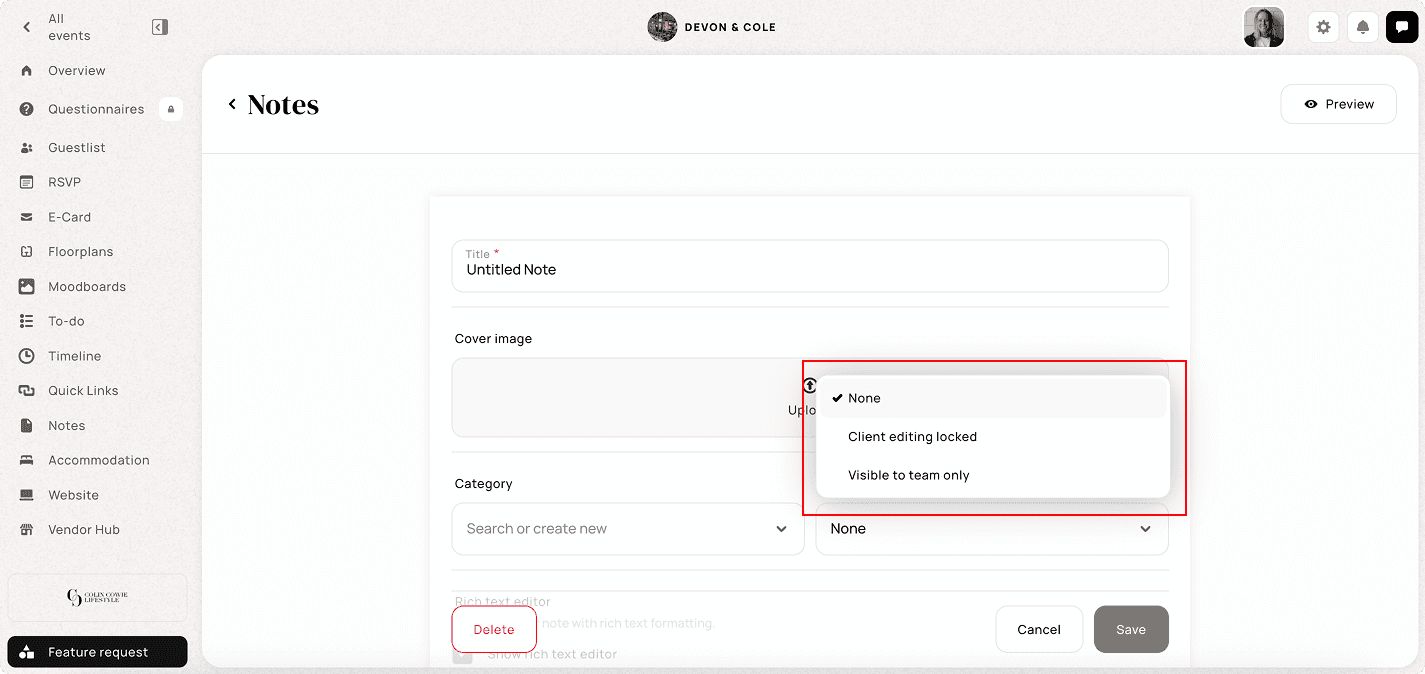
Within the Notes section, you can:
Create and manage notes directly inside an event
Organize notes using custom categories
Control visibility for clients and team members
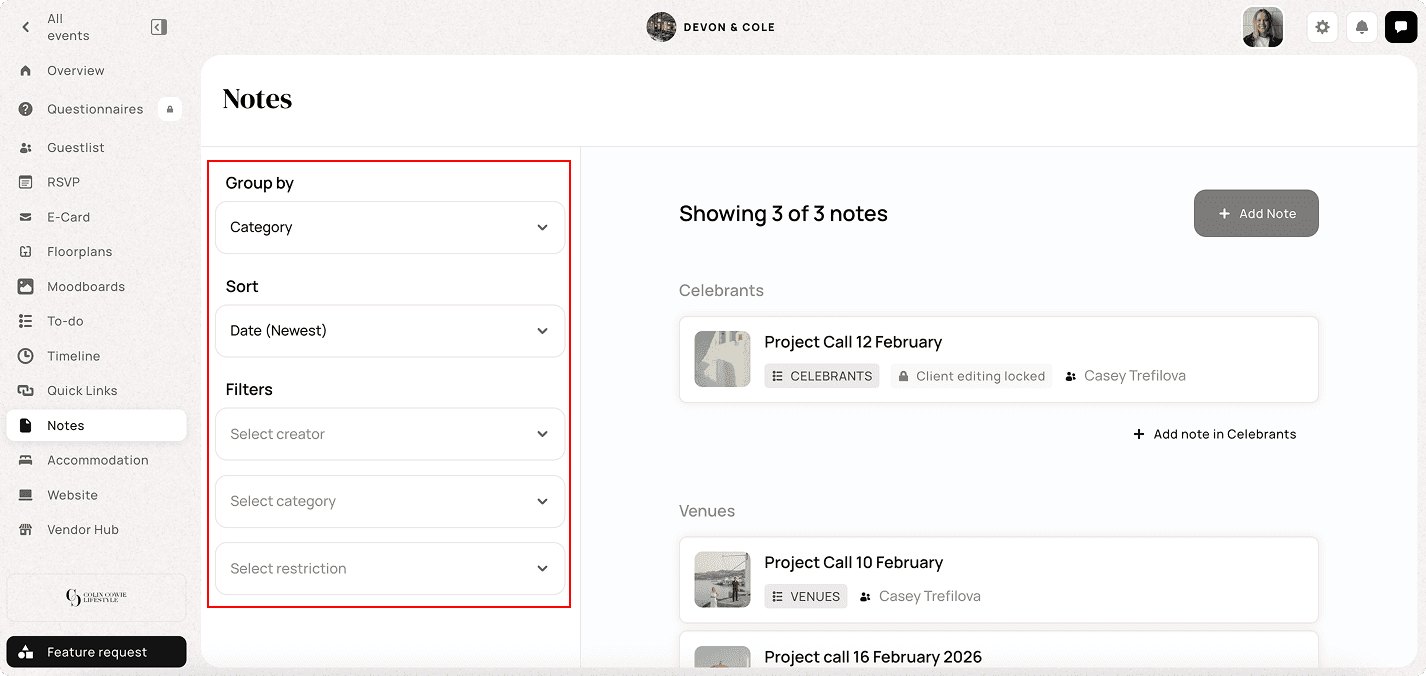
Filter notes by creator, category, or restriction
Sort notes by date for easy reference
Save a note as a reusable template and insert it into any event’s Notes
Print an individual note or save it as a PDF
Using the Zoom integration? After a cloud-recorded call finishes processing, TTO imports the transcript as an AI summary on your Meeting Recap page — and you can file it straight into the event’s Notes as an editable note.
Key Notes to Remember:
Notes are event-specific and live inside each individual wedding or event
Categories help keep notes structured and easy to filter
Visibility settings allow you to keep notes internal or share them with clients
Team members can collaborate by adding comments and updates
Filters make it easy to quickly find notes in larger or more complex events