



Households That RSVP Together
One reply covers the whole household — attendance, meal choices and dietary requirements for every member, with household names populated automatically.

RSVP Management Without the Chasing
Responses match guests by phone number, sync to the guest list instantly, and anything unmatched lands in an RSVP Inbox for you to review.

Connected to Your Seating Chart
Every yes flows straight into the floorplan and catering counts — no re-typing, no version-four spreadsheet.

One connected list — households, RSVPs, meals and seating, always in sync.
The moment a guest texts a change, the wedding guest list spreadsheet is out of date. In That's The One, RSVP changes update the list the second they happen.
The spreadsheet always lies
Couples and planners see the same list
The guest list updates in real time for everyone working on it, so you and your couple are never comparing two different versions.
Live attendance, meal and dietary counts — filter and export exactly the slice a vendor needs.
Counts you can hand to the caterer
A wedding guest list maker built around households
Not a flat list of names — a guest list manager that mirrors how invitations actually work.
Import guests in minutes
Upload your CSV and That's The One matches names, emails and phone numbers automatically — country codes included. Complex spreadsheets can be handed to the team and imported for you within 48–72 hours.
Households, not just names
Group couples and families into households. Members appear automatically on the RSVP screen, and every person still keeps their own individual attendance status, meal choice and dietary notes.
Tags that organise everything
Create your own tags — VIP, A list, Family, Vendors, Gluten-Free — assign several per guest, then filter the guest list, RSVP questions and exports by any of them.

RSVP management that runs itself
Send one link and let the wedding RSVPs collect themselves online.
Phone-first guest matching
Guests enter their phone number and That's The One matches them to your list — the email they type doesn't need to match what's on file. International country codes are fully supported.
An inbox for unmatched replies
Responses that don't match anyone land in the RSVP Inbox. Match them to an existing guest, create a new guest with their answers pre-filled, or dismiss — nothing is ever lost.
No guest accounts, ever
Guests never create an account or password. They open the link, confirm attendance, answer your questions, done — and RSVPs can even be collected without an email or phone number.

RSVP questions that adapt to each guest
One form, but every guest only sees what applies to them.
Questions scoped by tag
Ask the rehearsal-dinner question only to guests tagged for it. Every RSVP question has a tag selector that decides exactly which guests will see it — everyone else never does.
Declines skip to the end
When a guest regretfully declines, the form submits immediately and the remaining questions are skipped — no meal choices collected from people who aren't coming.
Meals, dietary and plus-ones
Collect meal choices and dietary requirements per person, control plus-ones guest by guest — named, unnamed or none — and offer children's options with age categories.


Deadlines and capacity, enforced automatically
The form closes itself, so you never have to be the bad guy.
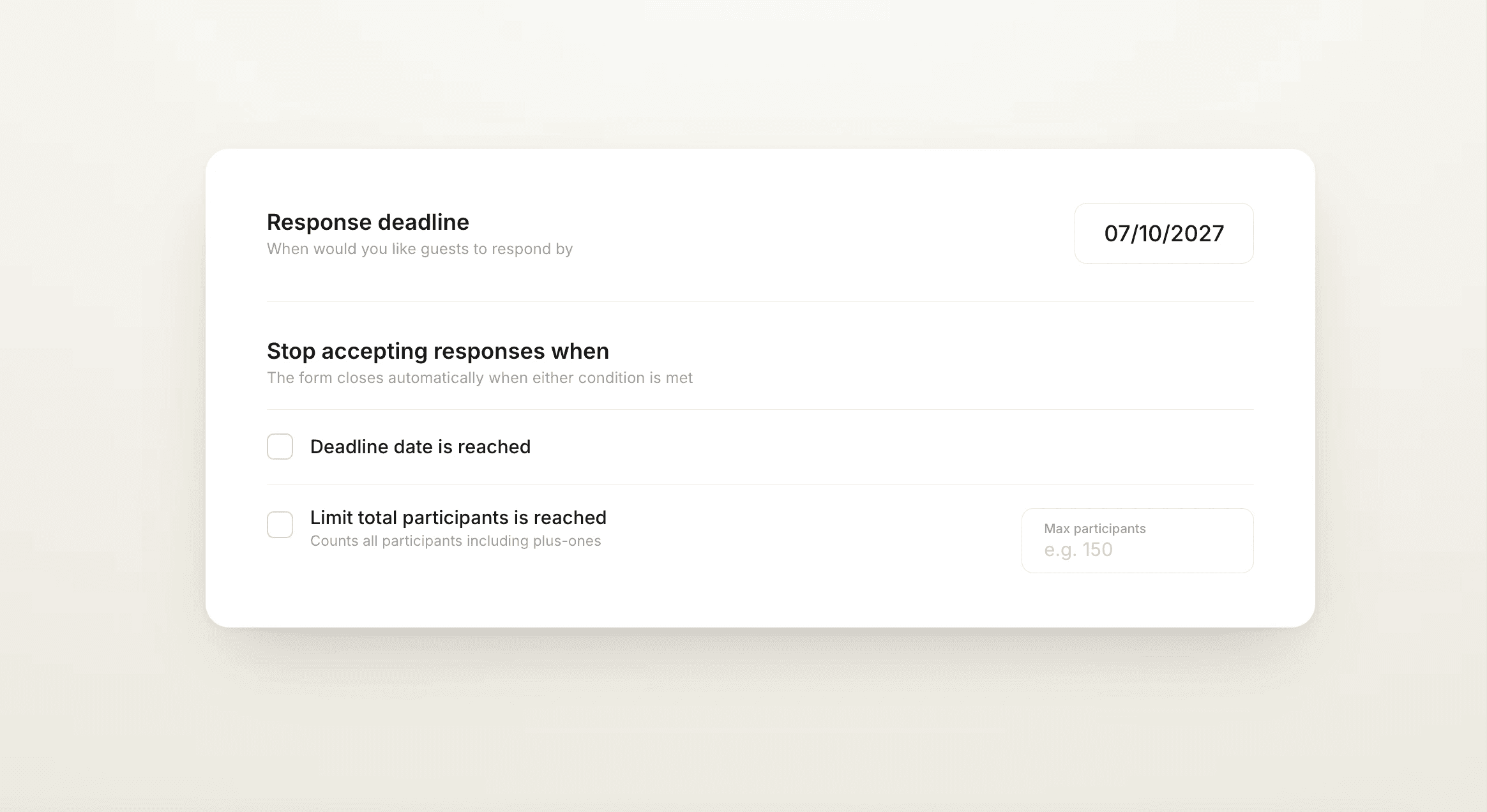
Auto-close at capacity
Set a maximum participant capacity — plus-ones included — and RSVPs close automatically the moment it's reached. Especially useful when the venue has a hard ceiling.
A deadline per event
Set different RSVP deadlines for each event, with a custom message once responses close — the ceremony can close weeks before the after-party does.
Re-invite the silent ones
Resend your e-card only to guests who haven't responded yet — one filter, one send, no building a chase list by hand.

QR codes, exports and the seating chart
The guest list is the hub — everything downstream stays in step.
QR codes for printed invites
Download a QR code and add it to save-the-dates or paper invitations — guests scan it and land straight on the RSVP form, no typing a URL.
Filtered exports in one click
Filter by tag or attendance, then export exactly that slice as CSV or Excel — a caterer list, a vendor list, a VIP list — in seconds.
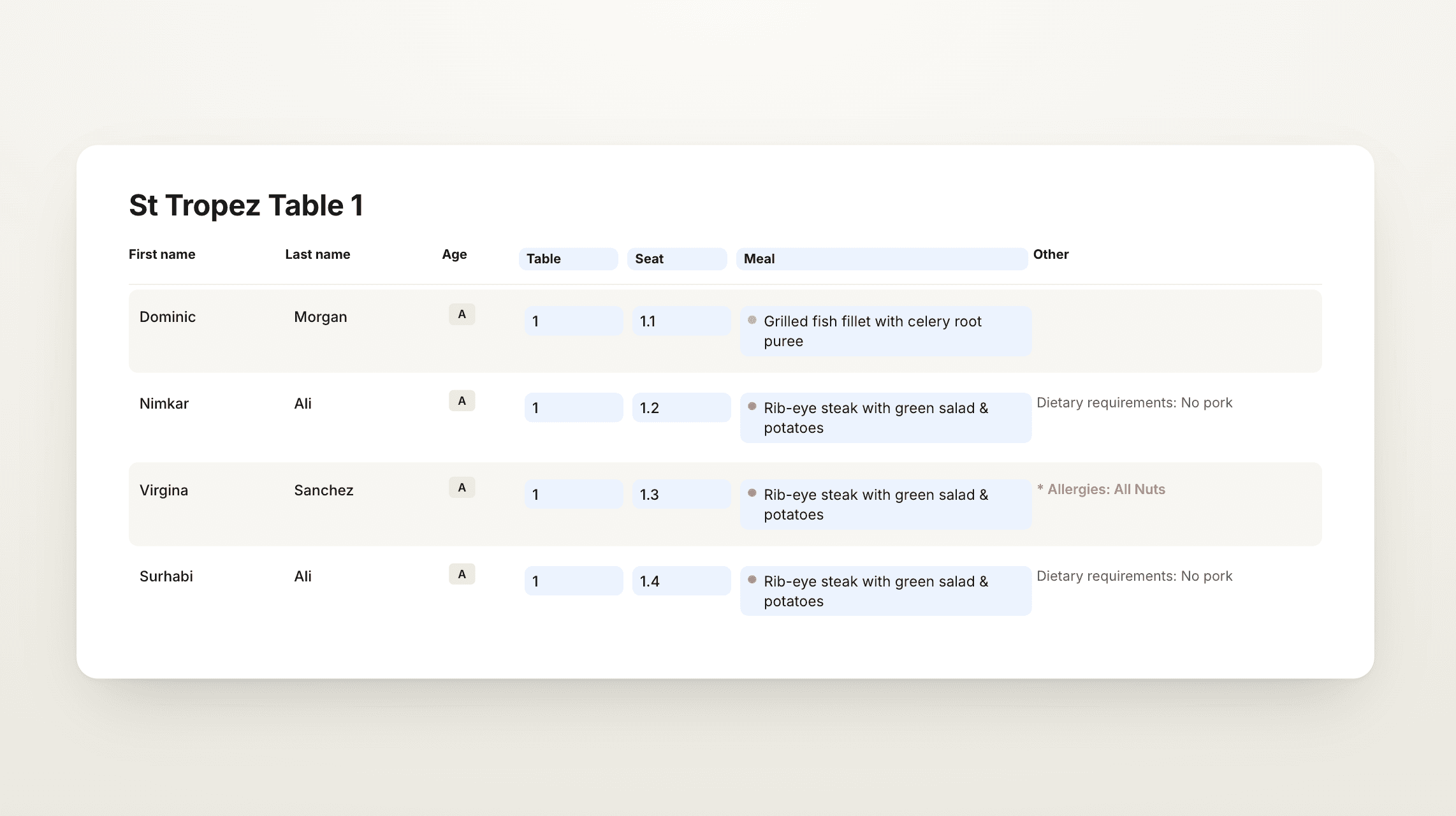
Synced to floorplan and catering
Attendance and meal answers flow into the seating chart and catering counts automatically. When an RSVP changes, the floorplan already knows.
Start from a free wedding guest list template
Moving off a spreadsheet? Start with a template that imports cleanly.
A CSV built for import
Download a free wedding guest list template with columns for names, households, emails, phone numbers and tags — formatted so it imports straight into That's The One.
Or bring the one you have
Already keeping the list somewhere else? Import your existing spreadsheet as-is — the importer matches your columns, and tricky files can be handled by the team.
Grow past the template
Templates cap out at rows and columns. Once imported, the same list gains RSVPs, tags, dietary tracking, exports and a live link to your seating chart.


3 simple steps to a guest list that runs itself
We make it easy to build the list, collect RSVPs, and keep everything in sync.

Import or build your list
Upload a CSV or start from the free template, with households and tags from day one.
Share the RSVP link or QR code
On the wedding website, in e-cards, or printed on invitations.
Watch everything sync
Responses update the list, the seating chart and the catering counts in real time.

Frequently asked questions

When should wedding RSVPs be due?
Most planners set the RSVP deadline three to four weeks before the wedding — enough time to finalise catering counts and the seating chart. In That's The One you can set a different deadline per event, and RSVPs close automatically when it passes.
How do I create a QR code for wedding RSVPs?
In That's The One, download a QR code for the event website and add it to save-the-dates or printed invitations. Guests scan it and land directly on the RSVP form — no URL to type.
What percentage of wedding guests RSVP yes?
As a rule of thumb, planners budget for roughly 75–85% of invited guests accepting, with local guests accepting at higher rates than travelling ones. That's The One shows live accepted, declined and pending counts so you're tracking real numbers, not estimates.
How do I make a wedding guest list?
Start with households rather than individual names, add contact details and tags like family or VIP, then import it. In That's The One you can upload a CSV or use the free guest list template, and the importer matches your columns automatically.
How do I organize a wedding guest list?
Group guests into households, tag them by side, priority or dietary needs, and track attendance per person. Tags let you filter the list, target RSVP questions, and export exactly the slice a caterer or vendor needs.
Do guests need an account to RSVP?
No. Guests open the link, are matched by phone number, and respond — no account, password or app download. RSVPs can even be collected without an email or phone number.
Can one person RSVP for their whole household?
Yes. The primary guest sees every household member on the RSVP screen and responds for each — attendance, meal choice and dietary requirements — while each person keeps an individual status.
Can I ask different RSVP questions to different guests?
Yes. Every question has a tag selector, so a question can go only to guests with a specific tag — the rehearsal-dinner question to the A list, dietary details to attending guests only.
Can I import my existing guest list from a spreadsheet?
Yes. Upload a CSV and names, emails and phone numbers are matched automatically, including country codes. Complex spreadsheets can be handed to the team and imported for you within 48–72 hours.
Can RSVPs close automatically?
Yes — two ways. Set a deadline per event, or set a maximum participant capacity (plus-ones included) and the form closes itself when either is reached, showing your custom message.
Can I export the guest list for my caterer or vendors?
Yes. Apply any filter — tag, attendance, dietary — and export just those guests as CSV or Excel, so each vendor gets exactly the list they need and nothing more.
Does the guest list connect to the seating chart?
Yes. Attendance and meal responses sync to the floorplan and catering counts automatically, so a changed RSVP never means re-doing the seating plan from a stale list.