Stay on Track with Action Items
An instant snapshot of what needs to happen this week.
Key Takeaways
See this week's tasks & payments across all events
Prioritise work by urgency, owner, or client
Quickly identify overdue or high-priority items
A great place to start your day and know what needs your attention this week!
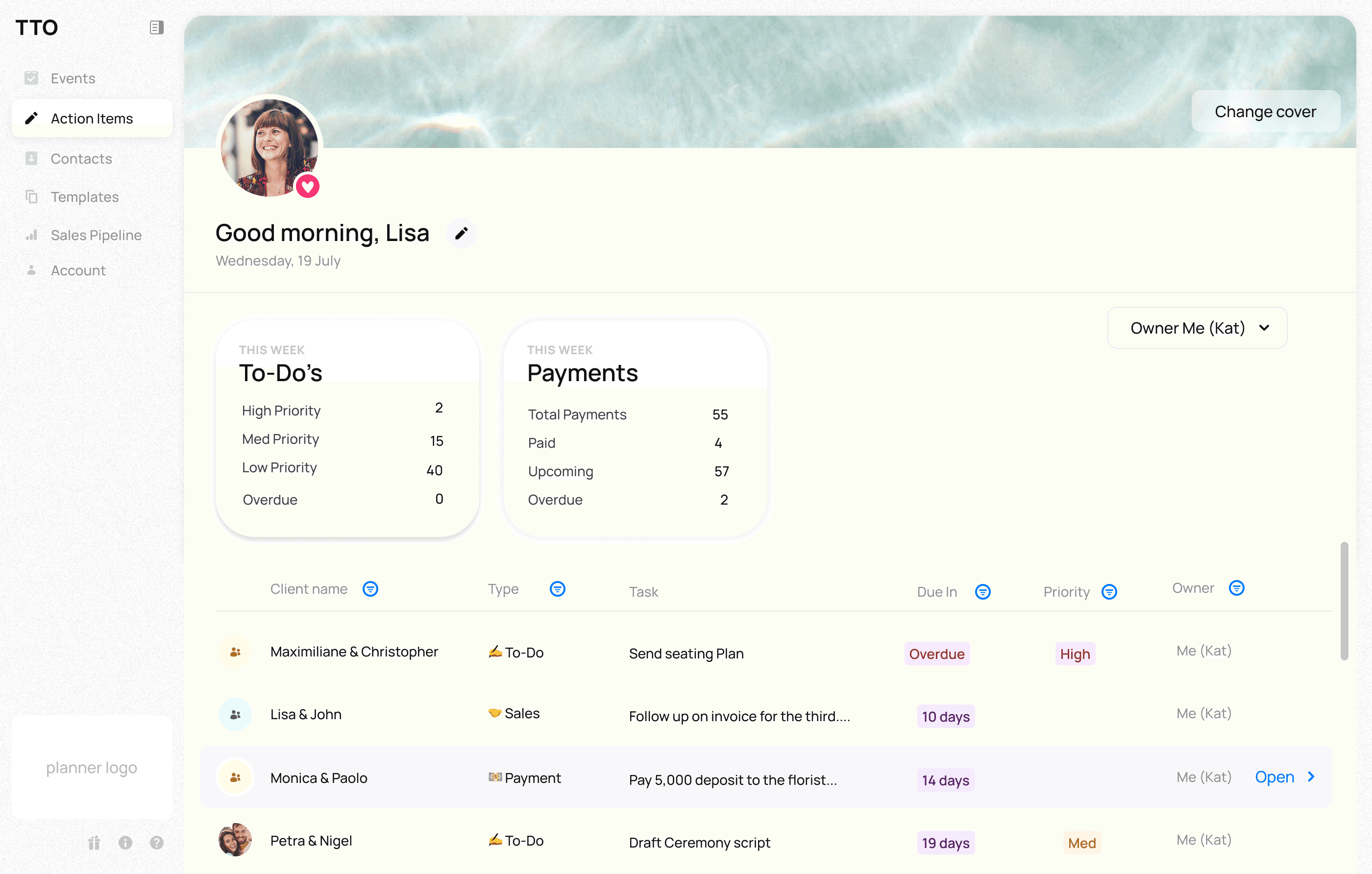
When managing multiple events, it’s easy to lose track of deadlines, especially when tasks and payments are spread across different places. Action Items gives you a clear time-based view of everything that needs attention, helping you plan both:
Your week ahead
Your longer-term workload
Step 1: Get a weekly overview
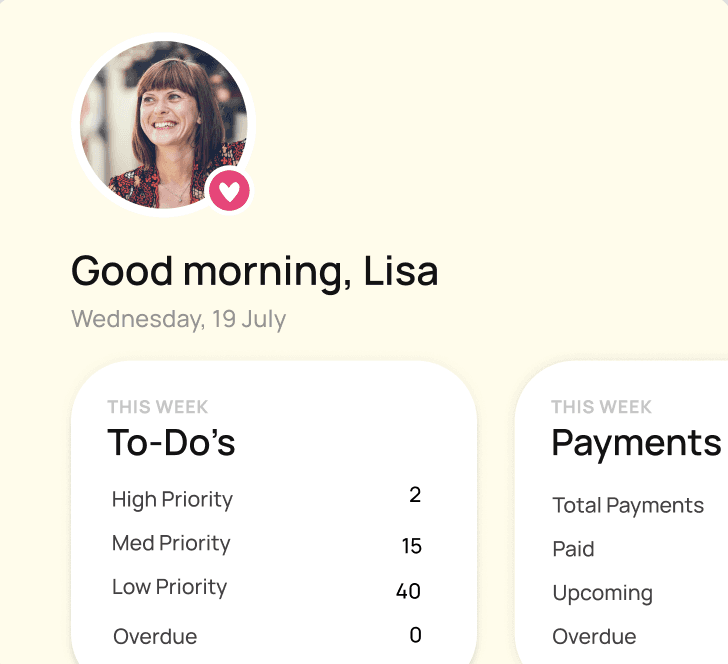
At the top of the page, you’ll see a summary of this week’s activity:
To-do’s
High, medium, and low priority tasks
Overdue items
Payments
Total payments due
Paid, upcoming, and overdue
This gives you an instant snapshot of what needs to happen this week.
Step 2: Review your full list
Scroll down to see all tasks and payments in detail.
Here you can:
See what’s due now and what’s coming up
Track progress across multiple events
Identify what needs immediate action
Step 3: Filter and plan ahead
Use filters to organise your view:
By owner to manage team workload
By client to focus on specific events
By priority or status to take action faster
With full visibility across your week and month, you can stay ahead of deadlines, prioritise with confidence, and keep every event running smoothly.
For more information on how to create moodboards, visit our support center here.