Wedding vendor management
Keep your supplier knowledge ready for the next event
Build a reusable vendor directory in That’s The One. Keep contact details, documents and planning notes together, assign suppliers to events and track their payment schedules alongside your budget.
Build a vendor directory you can keep using
Add a supplier once and use their profile across weddings and events. Keep the details you want to remember about your photographers, florists, caterers, venues and other suppliers available for the next time you work together.
Find the supplier you need
Search by name or category and use labels to organise your list. A supplier can have multiple labels, so one company can appear under several services without duplicate profiles.
Keep the contact and the context together
Save each vendor’s contact person, phone number, email, website and social links in their profile. Add notes about setup requirements, delivery instructions or previous conversations so the useful details stay with the supplier record.
Give documents a place in the plan
Upload contracts, invoices, receipts, insurance documents and other files to the vendor profile. Keep them beside the information your team needs to work with that supplier.
Track what is due as the event takes shape
Add deposits, instalments and final payments to a vendor’s payment schedule. Record due dates and payment methods, review outstanding balances and keep the figures connected to the event budget.
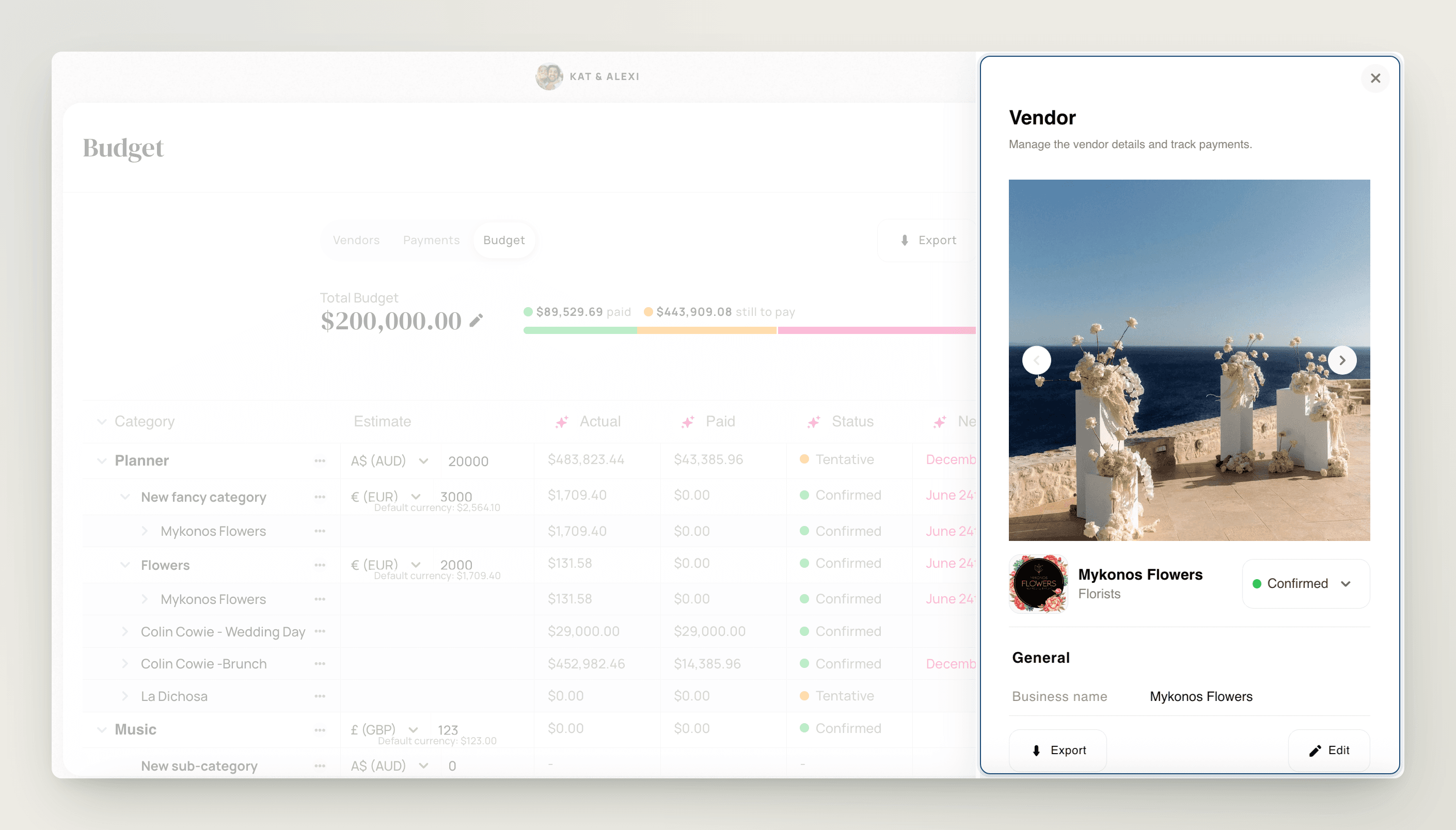
Take your event vendor list into the next conversation
Export the vendor list when you need to share details with a client or co-planner, work in a spreadsheet or gather the attached files.
CSV or Excel
Download vendor details as a CSV or XLSX file for use in a spreadsheet.
PDF with photos
Share a readable vendor list with contact details and photos where they have been uploaded.
Attached files
Download a ZIP package containing the photos, gallery images and documents attached to the vendors.
From supplier record to event plan
Create the vendor profile
Add contact details, notes, labels and relevant files to your supplier directory.
Add the vendor to an event
Use the supplier’s existing record when you bring them into a wedding or event.
Keep the event details organised
Track payment schedules and export the vendor list when it is time to share.

Can I reuse a vendor across different weddings?
Yes. The Vendor Hub is a reusable supplier directory. Add a vendor once, then assign that supplier to multiple weddings or events.
What can I store in a vendor profile?
You can keep contact details, websites and social links, notes, photos and documents such as contracts, invoices, receipts and insurance files. Vendor records also connect to payment tracking.
Can I organise vendors that offer several services?
Yes. Add multiple labels to one vendor profile and use the Labels filter to find suppliers by those services. You do not need a separate profile for every service the company offers.
What payment information can I track?
Track deposits, instalments and final payments, along with due dates, payment methods and outstanding balances. Vendor payment details connect to the event budget.
Can I export the vendor list?
Yes. From the event's Vendors section, export details as CSV or XLSX, a PDF with photos where available, or a ZIP package of attached files. The export covers the vendor list, including when opened from an individual vendor's details panel.
Can I control whether clients see vendor and payment information?
Yes. The Vendors feature permission includes Budget & Payments. Set the group to editable, view only or hidden in the event's Features settings to control client access.
Wedding planner CRM
Manage prospective clients and enquiries alongside your planning work.
Bring your supplier directory into your planning workflow
Keep the people, documents and payment details for your next event organised in TTO.