

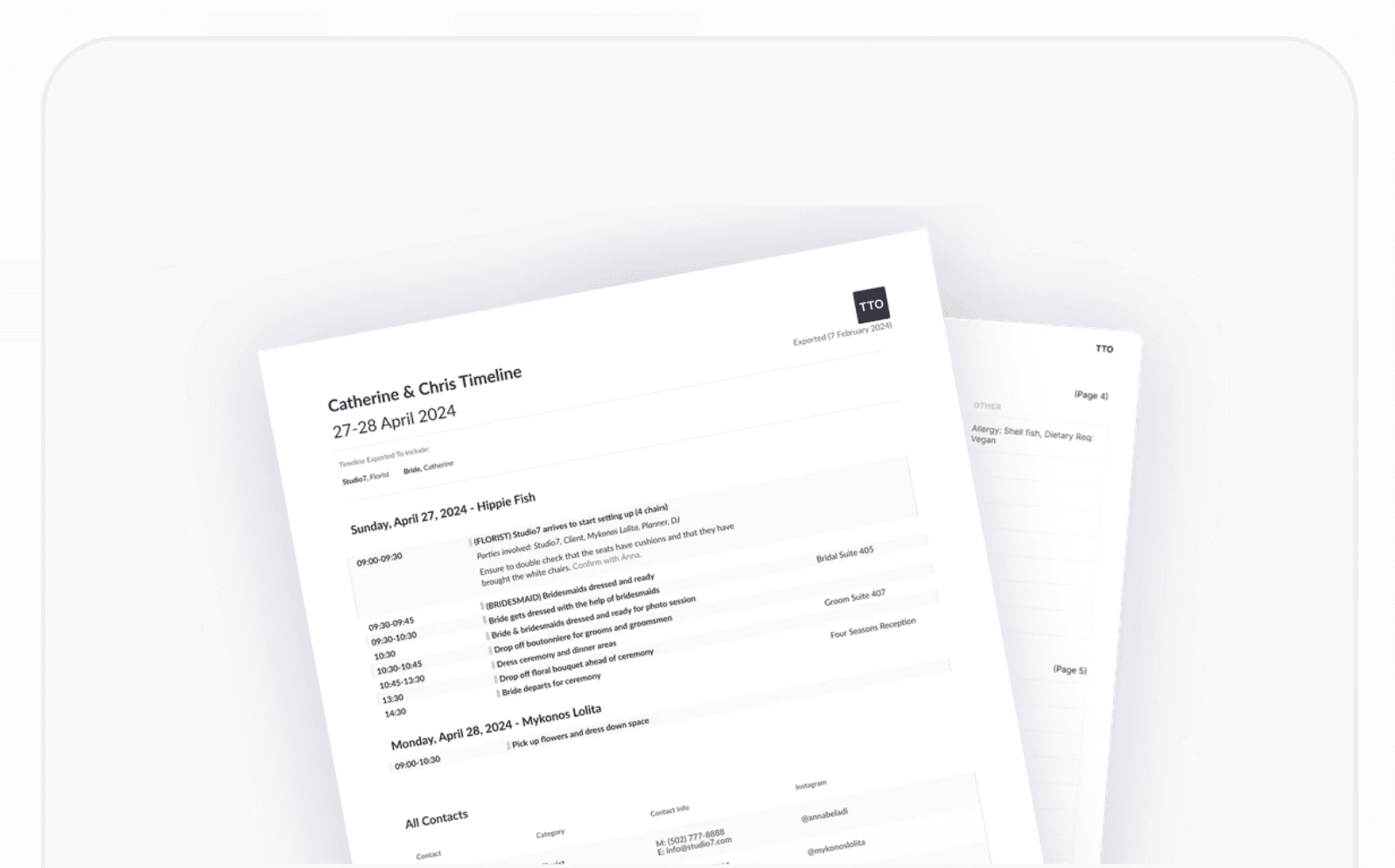




We can take this off your plate & help your client with two options:
Everything in One Place
Branded & Ready to Send
One master run sheet — the visibility filter does the duplicating for you
Filter by vendor, export in one click
Vendor contacts on every export
Every vendor export ends with a complete vendor list — name, company, phone, email, and Instagram handle — so the photographer knows who's steaming the dress at 2pm. No more five documents that disagree by Friday.

What you see is exactly what your vendor or couple receives — polished, branded, yours
Every exported timeline is a clean, professional PDF that leads with your logo — not ours. Color tags and formatting come through exactly as they appear on screen.
Your logo, your colors, your format
Add an introduction and summary notes
Add venue address, parking instructions, dress code and key reminders before you generate — plus front-page summary notes for key contacts. Need a public print-out? Hide contact details with one toggle.

Start from timeline templates built for traditional, modern, destination, intimate elopement, and cultural or religious weddings — then customise every line to fit the event.
Templates for every wedding style
Reuse your best events
Save your own timelines as reusable templates, or copy timeline items from a past wedding into a new one — tick the items you want, and dates align to the new event's date automatically. Your best wedding itinerary template is the one you already ran flawlessly.

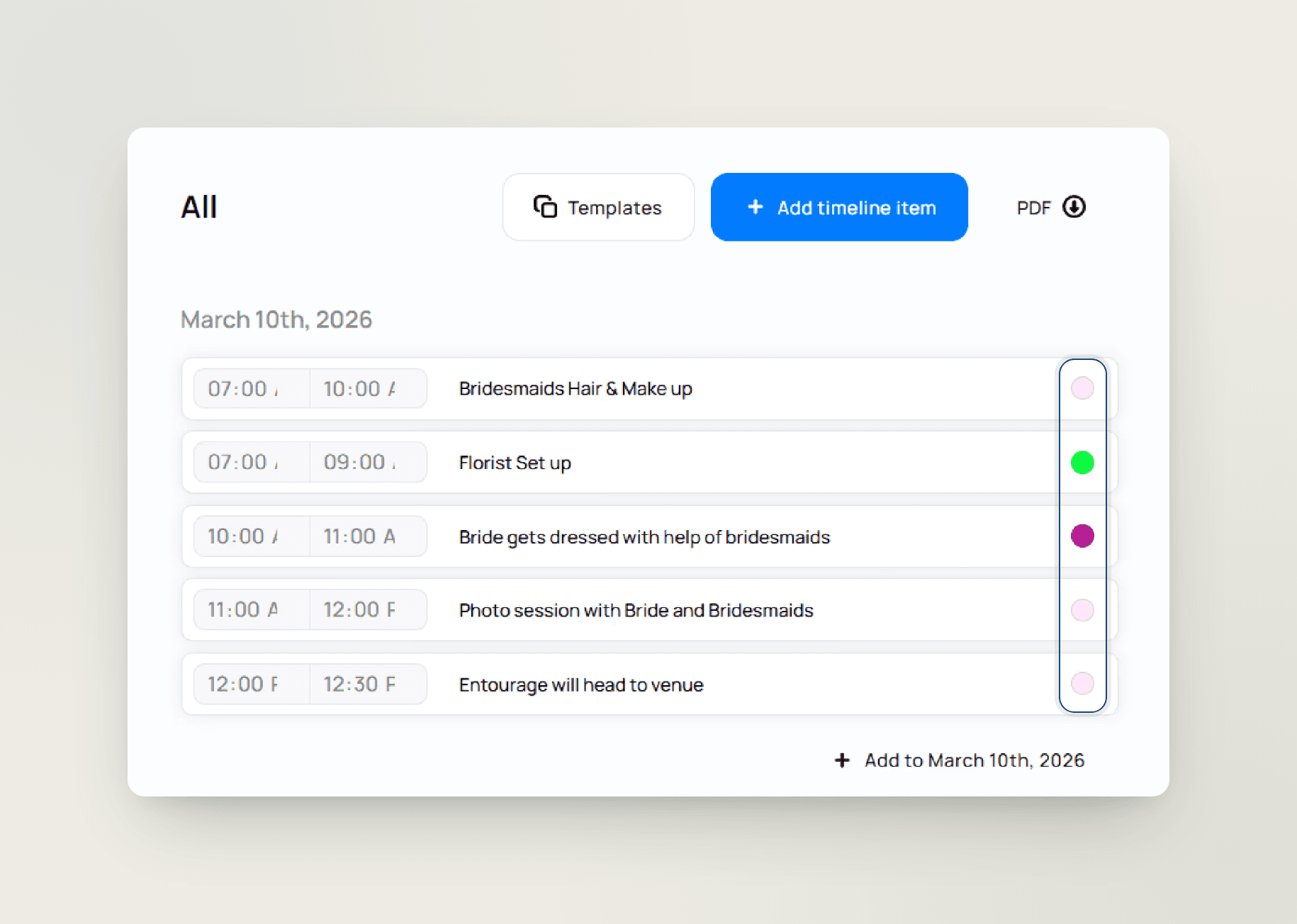
Give every item a colour tag: ceremony in sage, vendors in amber, family moments in blush. When the scheme changes, update colours in bulk instead of item by item.
Colour tags, updated in bulk
Colours carry into every export
The colour scheme isn't just on screen — branded PDF exports keep your colour tags and formatting, so the printed run sheet reads exactly the way you planned it, for the couple and every vendor.
Every item is a mini run sheet — not just a time and a title
Bulleted lists, tables and links
Images inside the timeline
Drop images straight into an item — the ceremony-arch sketch, the cake reference, the photo from the venue walkthrough — so the visual brief travels with the schedule instead of living in a separate folder.

Select everything, change anything — dates, colours, vendors, owners
Bulk edit and bulk assign
Every item knows its people
Tag vendors, the couple, the bridal party, venue staff, or your own team on any item — tagged people see exactly what they're responsible for. Items auto-reorder by time, and drag-and-drop puts everything exactly where you want it.
Welcome dinner Thursday, ceremony Saturday, farewell brunch Sunday — one wedding itinerary
The whole wedding itinerary lives in one timeline, with +1/+2 day indicators so nothing gets lost between dates — from destination weekends to a single-venue wedding reception timeline.
Day indicators keep dates straight
Overnight items stay whole
Items that cross midnight stay as one item — no more splitting the 11pm–1am after-party into two awkward rows. Every micro-event sits in the same run sheet, in order, with the right owners attached.

PDFs are for the final send — for everything before that, share a link
The couple, the venue, and every vendor open the latest version in their browser — no login required. Protect the link with an optional passcode and an optional expiration date, or leave it open. Move the first look by twenty minutes and everyone with the link sees it instantly.
One view-only link, always current
No version-check calls at 7am
Nothing to re-export, nothing to re-email, no 'is this the newest version?' calls. Collaborators inside TTO see real-time updates too, so your team never works from an outdated run sheet.
A quick word on names, because planners ask
The planning timeline lives in to-dos
The day-of timeline lives here
The wedding day timeline — the minute-by-minute run sheet for the event itself — lives in the timeline tool. If it has a time and a vendor on the day, it's a timeline item. Connected, but doing different jobs.
Timeline Genius builds timelines. Spreadsheets hold rows. TTO runs the whole event.
Connected to everything you run
Everything here comes standard
Per-vendor branded PDF exports, colour-coded rich-text items, multi-day support, and a live share link — one subscription, one login. Read the full Timeline Genius comparison on the blog.

Create your timeline
Start from a template or a past event
Precios de las habitaciones
Tag owners and connect contact details
Filter & export branded PDFs
Or share the live link — always the latest version

Frequently asked questions

Can I create a separate timeline for each vendor?
Yes. Build one master timeline, then use the visibility filter to export a personalised branded PDF for each vendor so everyone gets only the run sheet relevant to them.
Does the timeline export to a branded PDF?
Yes. Every export is a clean PDF with your logo in the header, your colour tags and formatting preserved, and an optional introduction with venue address, parking, and key reminders.
Can I build multi-day timelines for multi-event weddings?
Yes. TTO handles multi-day, multi-event weddings with day indicators and overnight items that cross midnight — so welcome dinners, the ceremony, and the after-party all live in one schedule.
Can my couple and vendors view the timeline?
Yes. Share the timeline as a view-only link — no login needed — and everyone always sees the latest version. You can protect the link with an optional passcode and an optional expiration date, or leave it open. Any change you make is reflected on the shared link automatically.
Is there a wedding timeline template I can start from?
Yes. Choose timeline templates for different wedding styles — traditional and classic, modern, destination, intimate elopement, and cultural or religious ceremonies — customise them to the event, and save your own timelines as reusable templates.
Can I turn a past event into a timeline template?
Yes. Save any timeline as a reusable template, or copy timeline items from a past wedding directly into a new one — select all of them or just the items you want, and dates align to the new event's date automatically.
Can I import a timeline I built outside TTO?
Yes. Upload an existing timeline file and TTO's AI-assisted import turns it into structured, editable timeline items. You can also start from a TTO timeline template, or reuse a past event — save its timeline as a template or copy items across, with dates aligning to the new event's date.
Can I email just one part of the timeline to specific people?
Yes — filter the timeline first, then export. The PDF contains exactly what's on screen, so a vendor filter or date filter gives you a partial run sheet you can send to exactly the right people.
Can I add notes or an introduction for vendors?
Yes. Add an optional introduction to any export — venue address, parking instructions, dress code — plus front-page summary notes for key phone numbers and important people.
Can I colour-code my wedding day of timeline?
Yes. Give every item a colour tag, update colours in bulk, and use rich-text descriptions with bold, highlights, lists, and images to keep every moment organised at a glance.
Can I bulk edit or bulk assign timeline items?
Yes. Select multiple items — or select all — and update event details, colour tags, tagged vendors, and assigned collaborators in one go. You can also bulk-assign dates and delete multiple items at once.
Can I assign timeline items to people other than vendors?
Yes. Tag the couple, bridal party, venue staff, planners, or your own collaborators on any item, so everyone sees the tasks they're responsible for.
How is TTO different from Timeline Genius?
Timeline Genius is a standalone timeline builder. TTO's timeline is one tool inside a full planning platform, connected to your guest list, seating plan, budget, and vendors — with per-vendor branded exports and a live share link built in.