Collect enquiries through Lead Forms
Collect enquiries from potential clients in a simple, organised, and professional way.
Key Takeaways
Capture enquiries effortlessly: Lead Forms let you collect details from potential clients and automatically turn submissions into leads.
Customise to suit your business: You can tailor questions, messages, and required fields to gather the right information upfront.
Share anywhere: Publish your form via a link or embed it on your website to attract and manage new enquiries easily.
As a planner, the first interaction with a potential client sets the tone for everything that follows. With a simple, customisable form you can share online or embed on your site, you instantly capture the key information you need from prospective clients, from event date and size to style preferences and contact details. This means you spend less time chasing answers and more time focusing on whether a lead is a great fit, responding quickly, and moving promising enquiries forward with confidence in the sales pipeline.
Where to Find Lead Forms
✨ Getting started is easy:
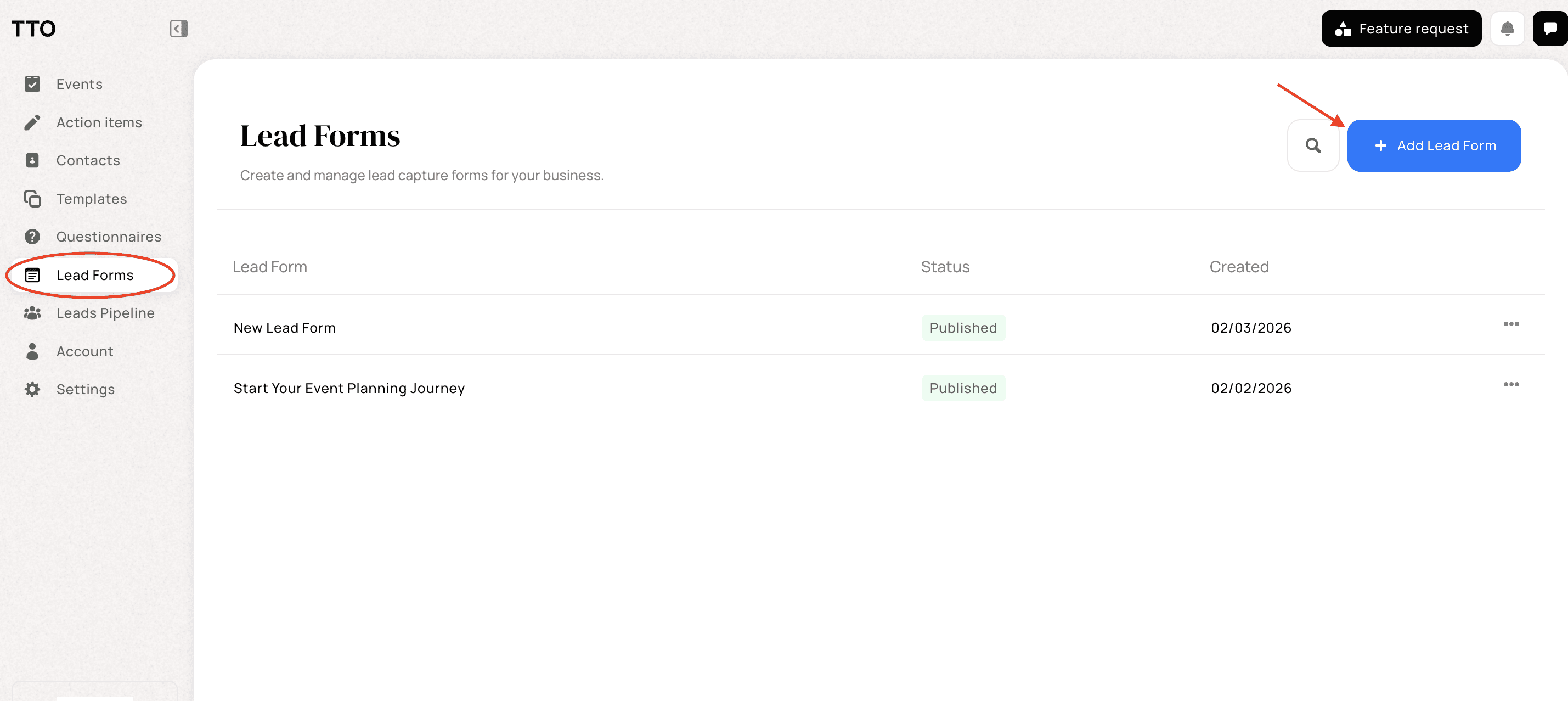
Head to your TTO dashboard
Click Lead Forms in the left-hand menu
You’ll see all your existing lead forms in one place
Select + Add Lead Form to start creating a new one
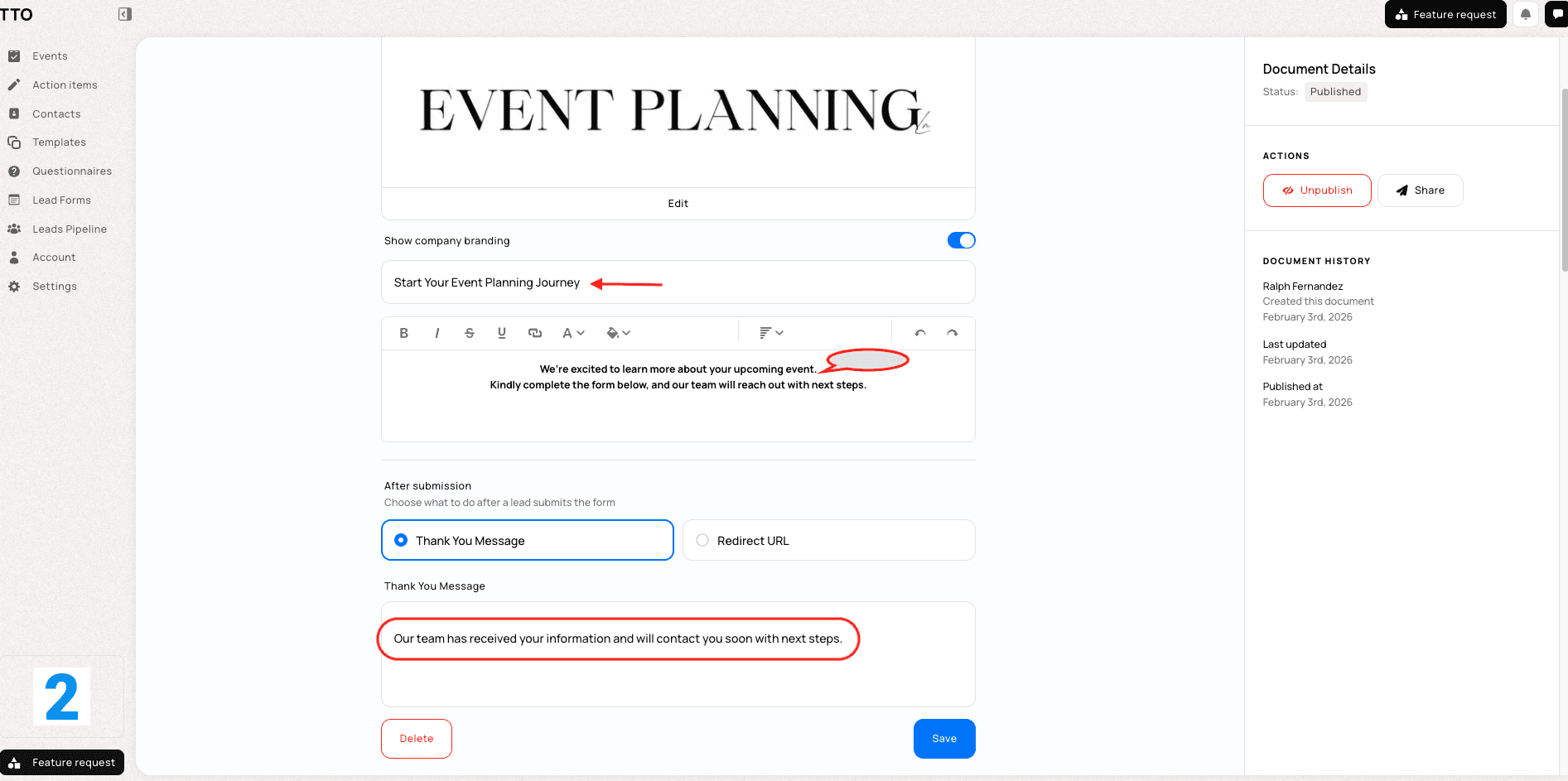
Creating Your Lead Form
✨ Setting up your form:
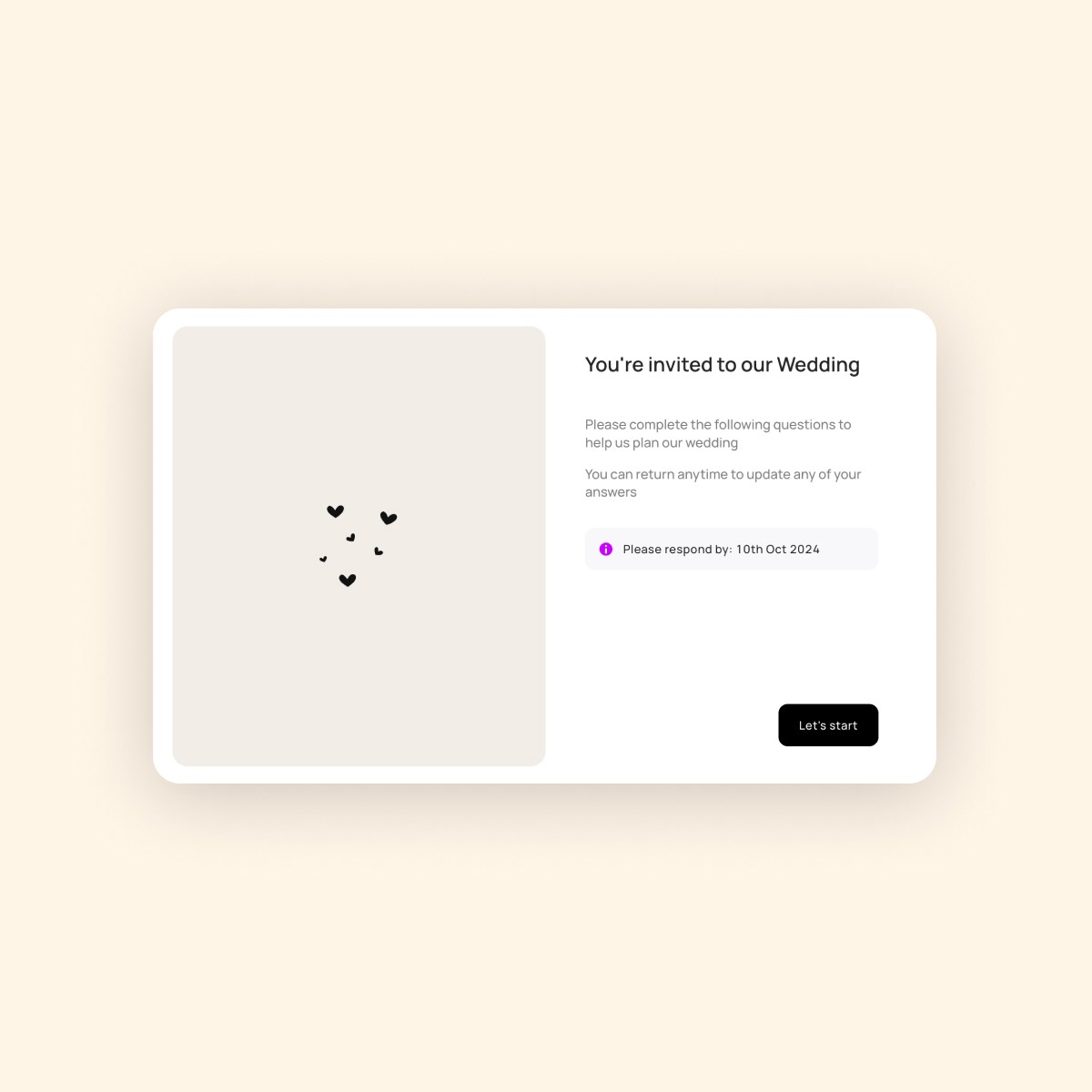
Add a cover image to appear on the welcome screen (optional)
Turn company branding on or off, depending on your preference
Enter a form title so recipients know what it’s about
Add a short welcome message to set expectations
Adding Questions
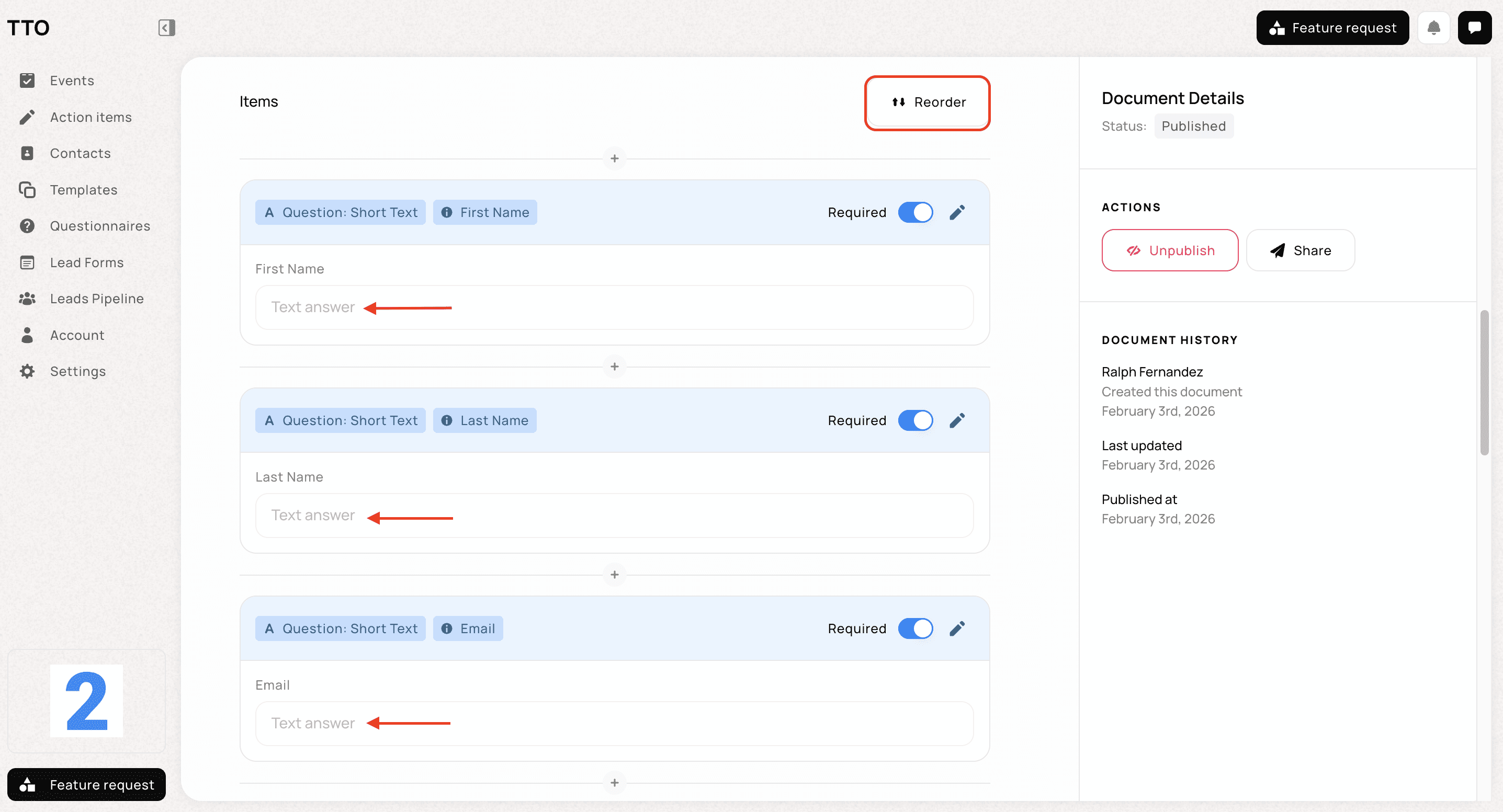
✨ Customising your form is simple:
Scroll down to the Items section
Use the + button to add new questions
Choose the question type that fits your needs (for example, short text or email)
Mark questions as Required if they must be completed
Adjust the order anytime using Reorder
ℹ️ Key note: When someone submits your form, their first name, last name, and email address are used to create the lead in TTO. This question is required and cannot be removed, as it ensures each enquiry is saved correctly in your Leads Pipeline.
Publishing and Sharing Your Form
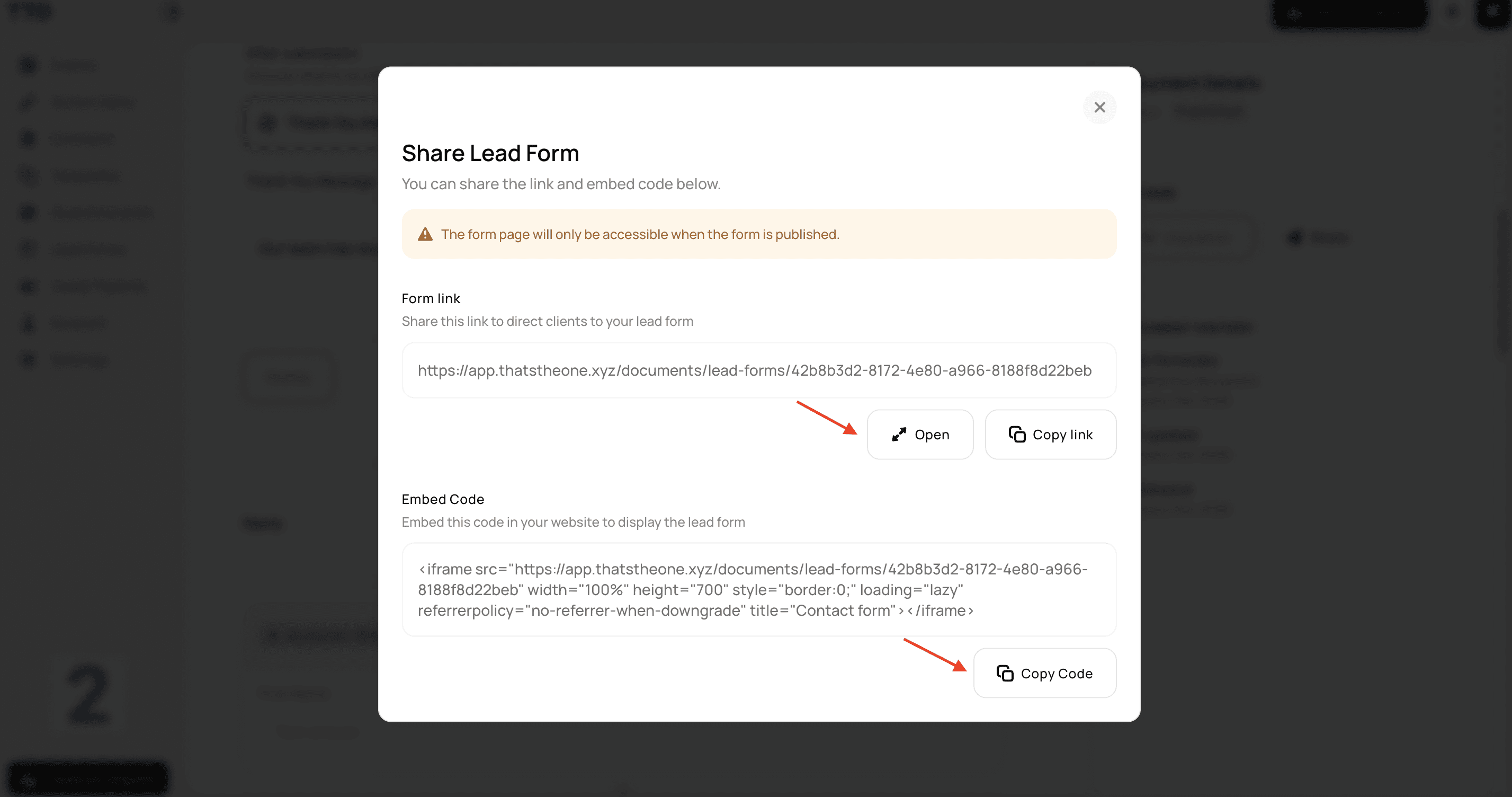
✨ When your form is ready:
Click Publish to make it live
Select Share to copy your unique form link
Use the embed code to display the form directly on your website
Send the link to potential clients via email, your website, or social media
Anyone with the link can complete the form.
ℹ️ Key note: Your form must be published before the link or embed code can be accessed. Once published, anyone with the link or access to the embedded form can submit their details, and their information will be automatically added to your Leads Pipeline.
What Happens After a Lead Comes In
Every submission is automatically added to your Leads Pipeline, and each lead gets its own page where you can add Notes, send Questionnaires, and create Proposals — all without leaving the lead. Learn how to track leads through your sales pipeline →
Lead Forms vs Questionnaires
Although Lead Forms look and feel similar to Questionnaires, they serve a different purpose.
🧩 Questionnaires are shared with existing clients or guests who are already part of your TTO workspace.
🌍 Lead Forms are shared externally and are designed to capture enquiries from new, potential clients. Using Lead Forms allows you to receive clearer, more structured information upfront and respond to enquiries faster and more confidently.